"@daywalker/auth/react"
Provider, hooks and components for React and Next.js client components.
npm install @daywalker/authEverything here is a client component or hook. In Next.js, use it from files marked "use client" (the <AuthProvider> itself can sit in a server layout).
<AuthProvider>
Loads the session and keeps the token fresh. Wrap your whole app once.
<AuthProvider publishableKey="pk_test_…" frontendApi="https://users.daywalker.dev">
  {children}
</AuthProvider>| Prop | Type | Default |
|---|---|---|
publishableKey |
string |
process.env.NEXT_PUBLIC_DAYWALKER_PUBLISHABLE_KEY |
frontendApi |
string |
process.env.NEXT_PUBLIC_DAYWALKER_AUTH_URL |
useAuth()
const {
  isLoaded,      // false until the first session check finishes
  isSignedIn,    // undefined while loading, then true/false
  userId,        // string | null
  sessionId,     // string | null
  getToken,      // () => Promise<string | null>
  authFetch,     // fetch with Authorization header
  signIn,        // ({ email, password }) => Promise<SignInResult>
                 //   { status: "complete", user } | { status: "needs_second_factor" }
  completeSecondFactor, // (code) => Promise<{ status: "complete", user }>
  signUp,        // ({ email, password, firstName?, lastName? }) => Promise<User>
  signOut,       // () => Promise<void>
  sendVerificationCode, // () => Promise<void>
  verifyEmail,          // (code) => Promise<User>
  requestPasswordReset, // (email) => Promise<void>
  resetPassword,        // ({ email, code, password }) => Promise<void>
  signInWithOAuth,      // (OAuthProvider, redirectUrl?) => void (full-page redirect)
  startTotpSetup,       // () => Promise<{ secret, uri }>
  confirmTotpSetup,     // (code) => Promise<string[]> backup codes
  disableTwoFactor,     // (code) => Promise<void>
  regenerateBackupCodes,// (code) => Promise<string[]>
  updateProfile,        // ({ firstName?, lastName? }) => Promise<User>
  changePassword,       // ({ currentPassword, newPassword }) => Promise<{ otherSessionsSignedOut }>
  getSecurity,          // () => Promise<SecurityInfo>
  listSessions,         // () => Promise<SessionInfo[]>
  revokeSession,        // (sessionId) => Promise<void>
  revokeOtherSessions,  // () => Promise<number>
  passkeysSupported,    // () => boolean
  signInWithPasskey,    // () => Promise<{ status: "complete", user }>
  registerPasskey,      // (name?) => Promise<{ id }>  (needs a sign-in from the last 15 min)
  listPasskeys,         // () => Promise<PasskeyInfo[]>
  renamePasskey,        // (id, name) => Promise<void>
  deletePasskey,        // (id) => Promise<void>
} = useAuth();
Actions throw AuthError when the server rejects them.
useUser()
const { isLoaded, user } = useUser(); // user: User | nullSee Read the current user for the User shape.
useAuthClient()
Returns the underlying browser client, for example to build hosted-page URLs with hostedUrl().
Components
| Component | Renders |
|---|---|
<SignedIn> |
Its children, only when loaded and signed in |
<SignedOut> |
Its children, only when loaded and signed out |
<SignInButton mode? redirectUrl? className?> |
A button that opens the hosted sign-in (or mode="sign-up") page and returns to redirectUrl (default: current page) |
<SignUpButton redirectUrl? className?> |
Opens the hosted sign-up page and returns to redirectUrl |
<AccountButton redirectUrl? className?> |
Opens the hosted account page, with a link back to your app |
<HostedLink page redirectUrl? className?> |
A plain <a> link to a hosted page (sign-in, sign-up, forgot-password or account) that returns to redirectUrl |
<RedirectToSignIn redirectUrl? mode?> |
Sends signed-out visitors to the hosted sign-in page, then back |
<OAuthButton provider redirectUrl? className?> |
"Continue with Google" (or any social provider) |
<SignOutButton afterSignOutUrl? className?> |
A button that signs out, then optionally navigates |
<UserButton afterSignOutUrl? className? appearance?> |
Initials avatar with name, email, Manage account (account page) and Sign out |
<SignIn> / <SignUp> |
Full sign-in and sign-up forms on your own page. See Drop-in components |
<OrganizationSwitcher> |
Switch or create organizations. See Drop-in components |
All buttons accept children to change their label:
<SignInButton className="btn">Log in to continue</SignInButton>Embedded component or hosted page
For each screen you can either embed the component in your app or link to the hosted page. Both have the same features.
| Screen | Embedded component | Link to hosted page |
|---|---|---|
| Sign in | <SignIn /> |
<HostedSignIn /> or <SignInButton /> |
| Sign up | <SignUp /> |
<HostedSignUp /> or <SignUpButton /> |
| Forgot password | Built into <SignIn /> |
<HostedForgotPassword /> |
| Account / profile | <UserProfile /> |
<HostedUserProfile /> or <AccountButton /> |
The Hosted* components render a plain <a> (same as <HostedLink page="…" />) and accept redirectUrl, className and children.
<SignedOut>
  <HostedSignIn className="btn">Log in</HostedSignIn>
</SignedOut>
Your own sign-in and sign-up pages
This works like Clerk's custom sign-in/sign-up pages. Make a page for each, render the component, and tell <AuthProvider> where they are:
// app/sign-in/[[...sign-in]]/page.tsx
import { SignIn } from "@daywalker/auth/react";
export default function Page() { return <SignIn />; }NEXT_PUBLIC_DAYWALKER_SIGN_IN_URL=/sign-in
NEXT_PUBLIC_DAYWALKER_SIGN_UP_URL=/sign-up
NEXT_PUBLIC_DAYWALKER_SIGN_IN_FALLBACK_REDIRECT_URL=/
NEXT_PUBLIC_DAYWALKER_SIGN_UP_FALLBACK_REDIRECT_URL=/You can pass the same values as signInUrl, signUpUrl, signInFallbackRedirectUrl and signUpFallbackRedirectUrl props on <AuthProvider> instead.
<SignInButton>,<SignUpButton>,<RedirectToSignIn>,<HostedSignIn>and<HostedSignUp>go to your pages instead of the hosted ones, with?redirect_url=set to the current page.<SignIn>and<SignUp>send the user back toredirect_urlafter signing in, as long as it's on your own site. Otherwise they go to the fallback URL.- The "Sign up" / "Sign in" links between the two components point at your pages and keep the
redirect_url.
If you leave these unset, everything uses the hosted pages.
What the hosted pages look like
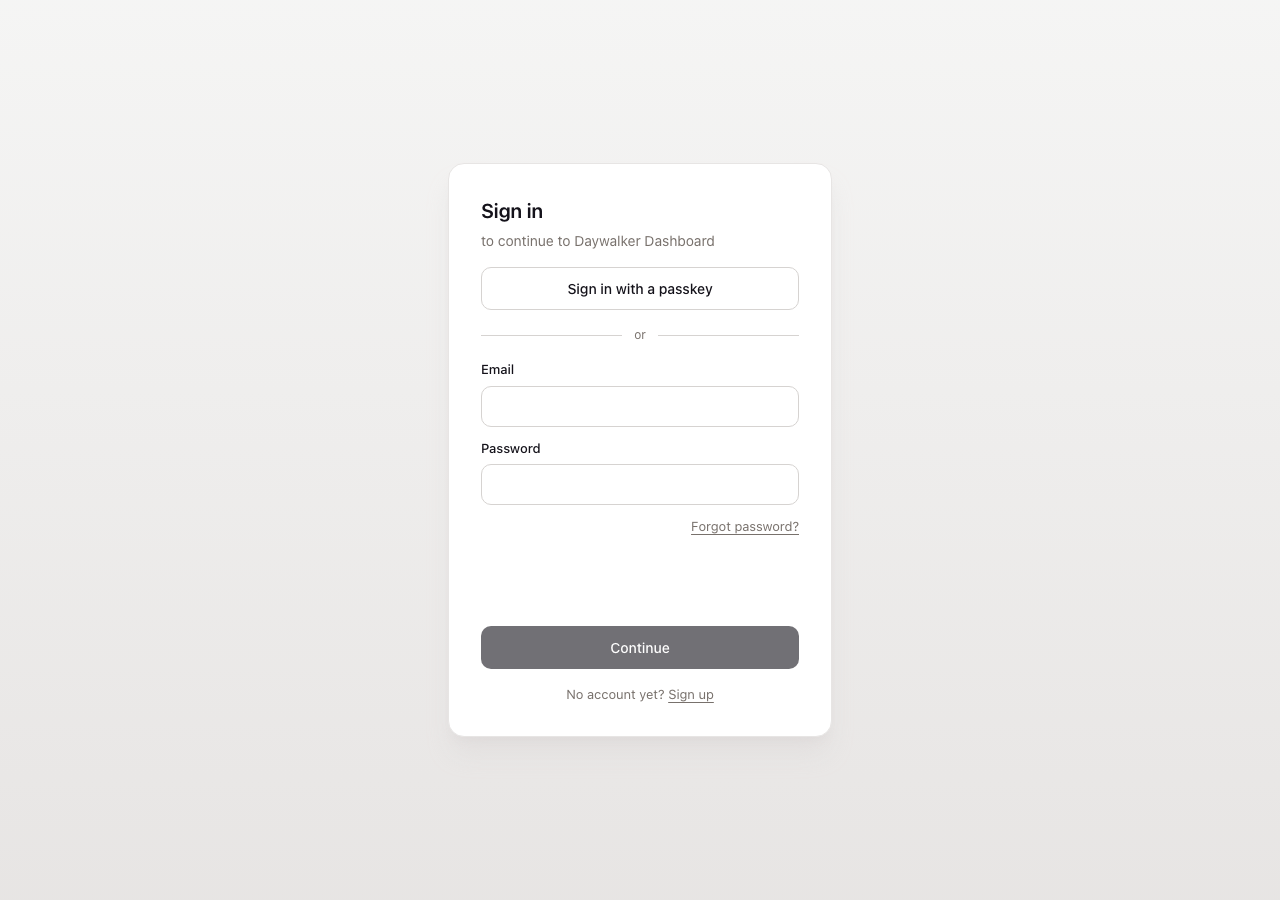
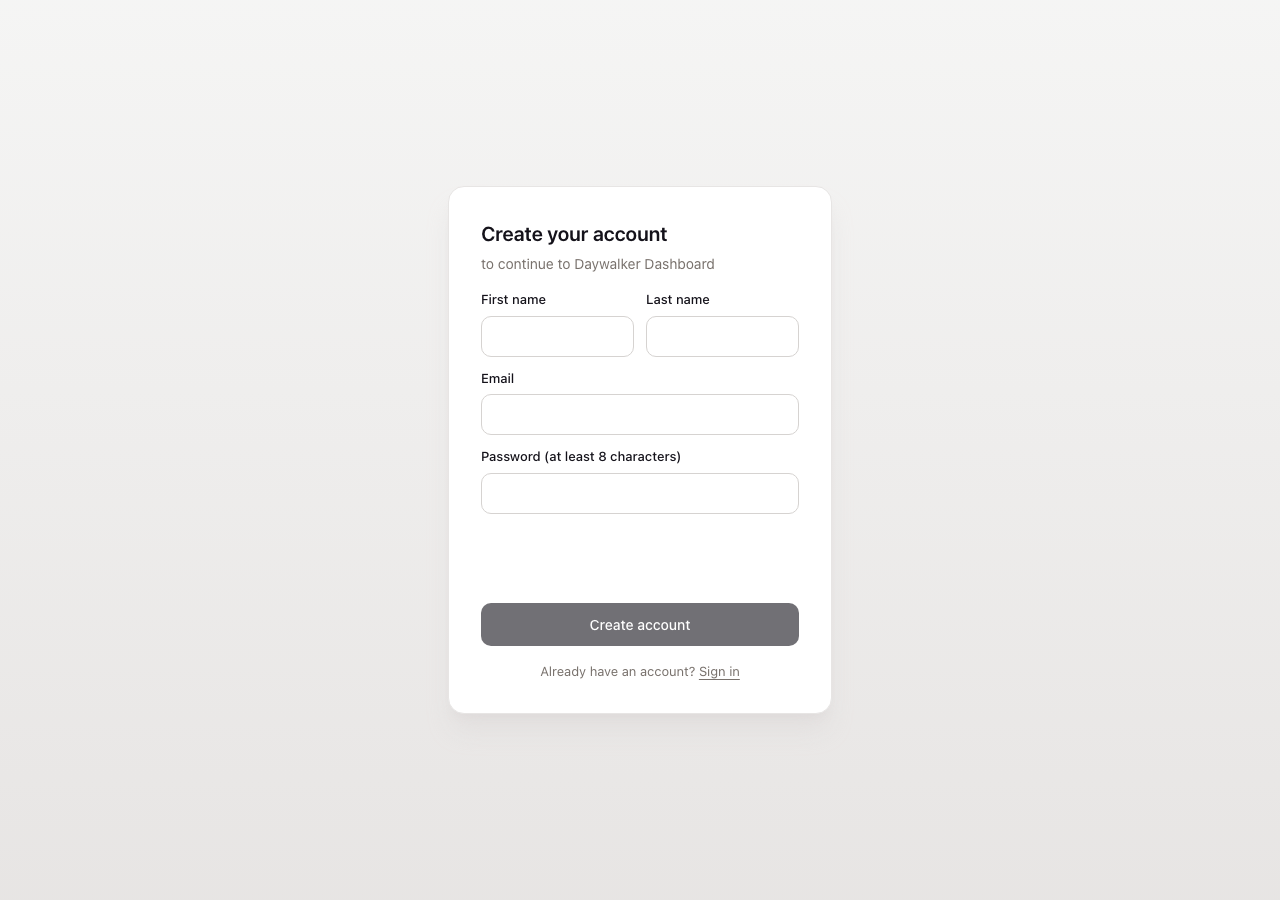
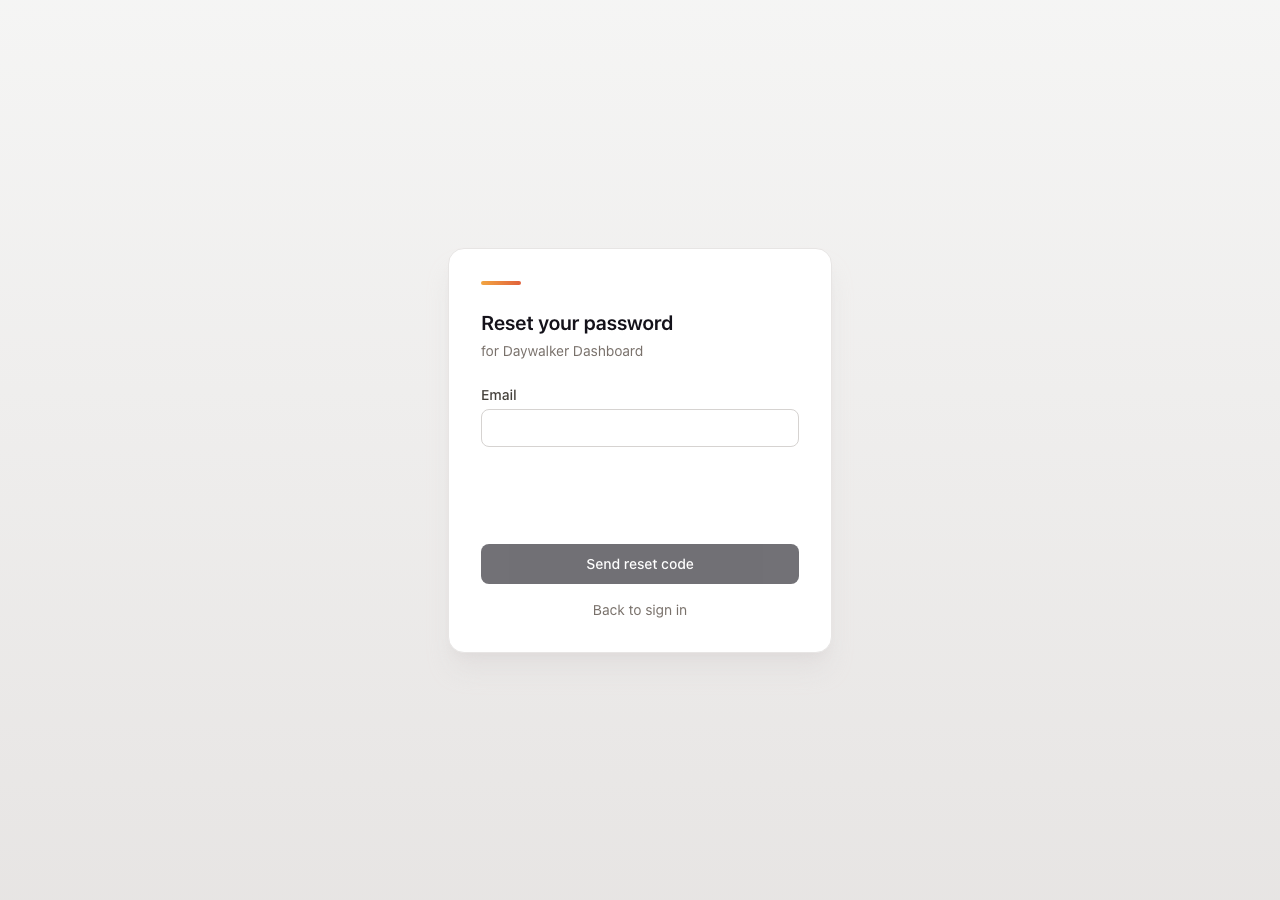
Each instance's hosted pages live at https://users.daywalker.dev/h/<publishable key>/<page>, or on your custom domain. The logo and colors follow your Hosted pages settings.
Sign in (/sign-in)
Sign up (/sign-up)
Forgot password (/forgot-password)
Account (/account): only available when signed in, so there's no screenshot. It covers profile, password, passkeys, two-factor, connected accounts and signed-in devices. Signed-out visitors are sent to sign-in.
Hosted pages on a custom domain
Pass hostedDomain="https://auth.example.com" to <AuthProvider> (or set NEXT_PUBLIC_DAYWALKER_HOSTED_DOMAIN) once the domain is verified in your dashboard. Hosted links and authProxy then use it, without pk in the URL. The redirect_url must match one of your allowed origins.